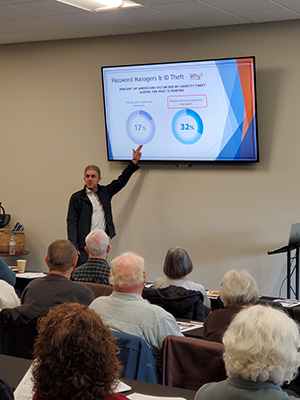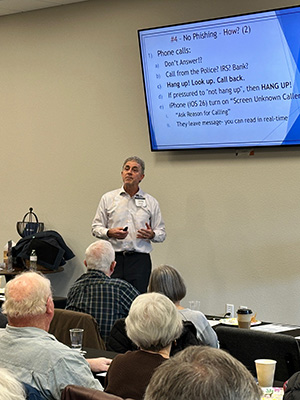
We were thrilled by the standing-room-only turnout and the level of engagement throughout the presentation at our recent Winter FOCUS Workshop: “4 Critical Cyber Security Steps”.
A special thank you to Corey Keating, PhD, CISSP, PCI Pro, SSAP, who once again delivered an eye-opening, practical, and refreshingly calm approach to a topic that often feels overwhelming. Corey has a rare ability to cut through fear and technical jargon and focus instead on what actually matters—the steps individuals can realistically take to protect themselves.
One of the most memorable moments of the afternoon was Corey’s live, hands-on demonstration, when he identified a phishing attempt on a attendee’s phone during the presentation. Seeing a real scam in real time reinforced a key theme of the talk: cybersecurity threats are not abstract or hypothetical—they are happening every day, to everyday people.
Key Takeaways from the Presentation:
Corey walked us through the four most critical cybersecurity steps, emphasizing that these are foundational—not fancy—and that progress matters more than perfection:
- Keep devices updated with security patches –Phones, computers, and other devices must be kept current. Many major breaches only succeed because updates were delayed or ignored.
- Use a password manager – Strong, unique, long passwords are essential—and nearly impossible to manage without help. A password manager dramatically reduces risk from password reuse and data leaks.
- Enable multi-factor authentication (MFA/2FA)– Even if a password is compromised, MFA can stop attackers in their tracks. This sparked great discussion around authenticator apps, hardware keys, and recovery codes.
- Learn to spot and stop phishing and social engineering– These attacks rely on emotion, urgency, and trust—not intelligence. Corey shared clear rules for slowing down, verifying independently, and knowing when to hang up or delete. Rule of thumb – NEVER click on a link in an email or text message. Always go to the website yourself and log in.
In addition, we had multiple questions around:
- Choosing and implementing password managers – NOTE: The login password or code for a password manager is not like other passwords to online accounts. It is used to encrypt your passwords before they ever leave your computer (to be stored in the cloud). If you lose this Master Password it cannot be reset or recovered. Password Manager companies do NOT offer an option to “reset your password.”Although this mitigates the risk of someone stealing your Password Manager account, it means you must not forget this Master Passphrase!
- Phone security settings and unknown callers – just as a precaution – don’t answer calls from numbers you don’t recognize. If it’s important, they will leave a message.
- The importance of timely operating system and app updates – if you aren’t sure how to do this, ask your child, grandchild or someone else you know that is “techy”.
- How to respond if you receive a 2FA prompt you didn’t initiate
What’s Next:
We strongly encourage you to:
- Pick one or two steps to implement this week
- Share what you learned with family members—especially those who may be more vulnerable
- Revisit the resources periodically as part of your ongoing “cybersecurity journey”
As Corey reminded us, cybersecurity isn’t a one-time fix—it’s a journey. Starting now, even with small changes, can significantly reduce risk.
REMINDER: Bain will never email or text you asking for sensitive information. If you EVER have a question about whether or not a request from us is legitimate, please give us a call!